Track benefit balances
See what is available, what has been used, and what remains across employer-provided benefits.

Employee benefits tracker for iPhone
PerkPocket - employee benefits
PerkPocket turns employee benefits into a simple personal wallet. Track allowances, perks, reimbursements, receipts, and benefit balances so you can use what your job already provides before it resets or expires.
 Free for up to five active benefits; $3.99 one-time lifetime unlock for unlimited active benefits. No subscription.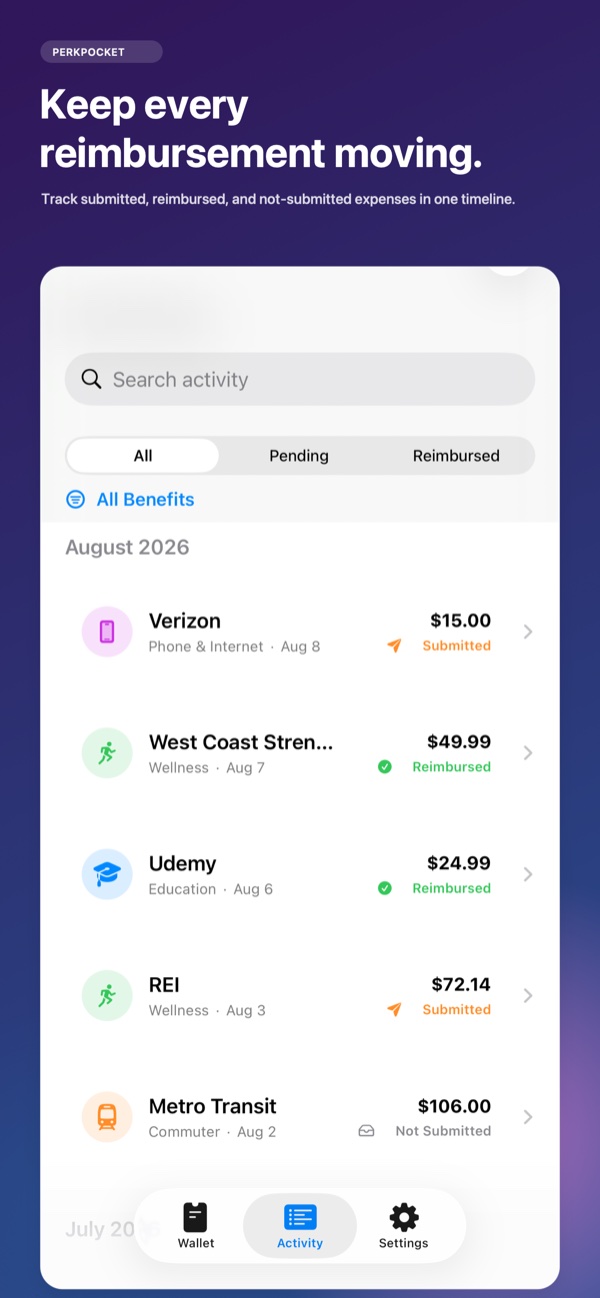
The problem
Wellness funds, commuter allowances, education budgets, phone reimbursements, and other employer benefits often live in different portals, emails, and policy documents. It can be hard to remember what remains or when it expires.
A receipt can sit unsubmitted while the deadline gets closer. Even after a claim is filed, the difference between submitted, approved, reimbursed, and denied can disappear into a long email thread.
The solution
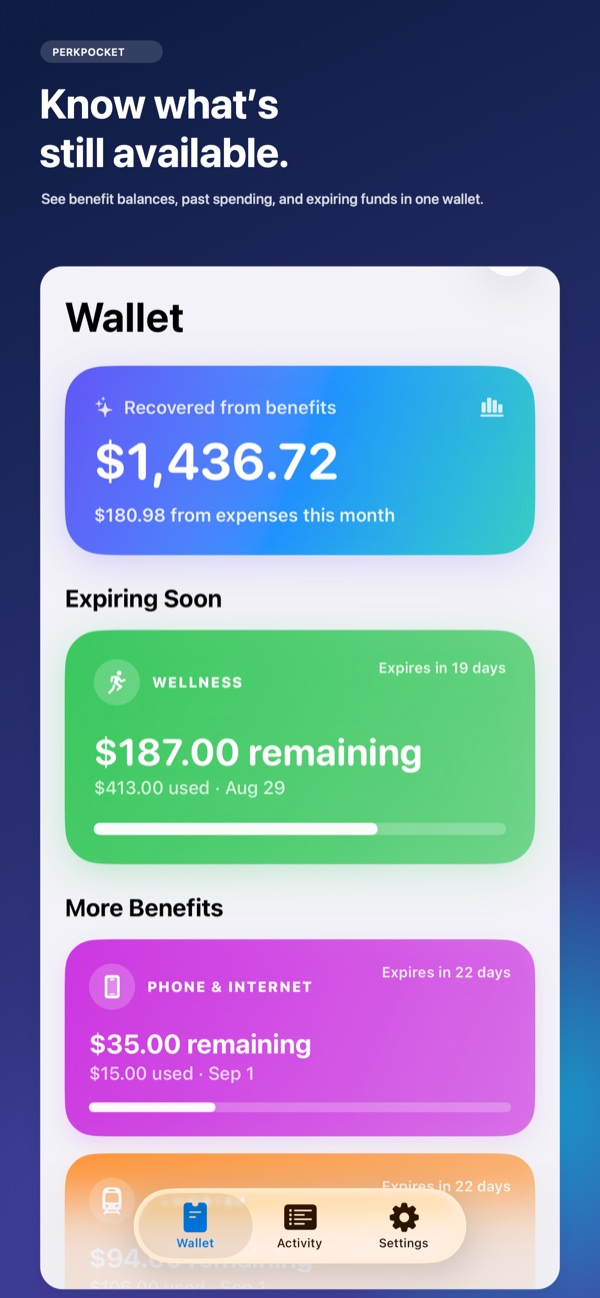
PerkPocket keeps each benefit, available balance, reset date, expense, receipt, and reimbursement status together. It is a personal tracker—not an employer portal—and does not require a work-account or banking connection.
Optional reminders surface approaching benefit expiration dates. Receipt text recognition can identify basic merchant, amount, and purchase-date details on your device, while the original image stays attached to the expense.
Real App Store features
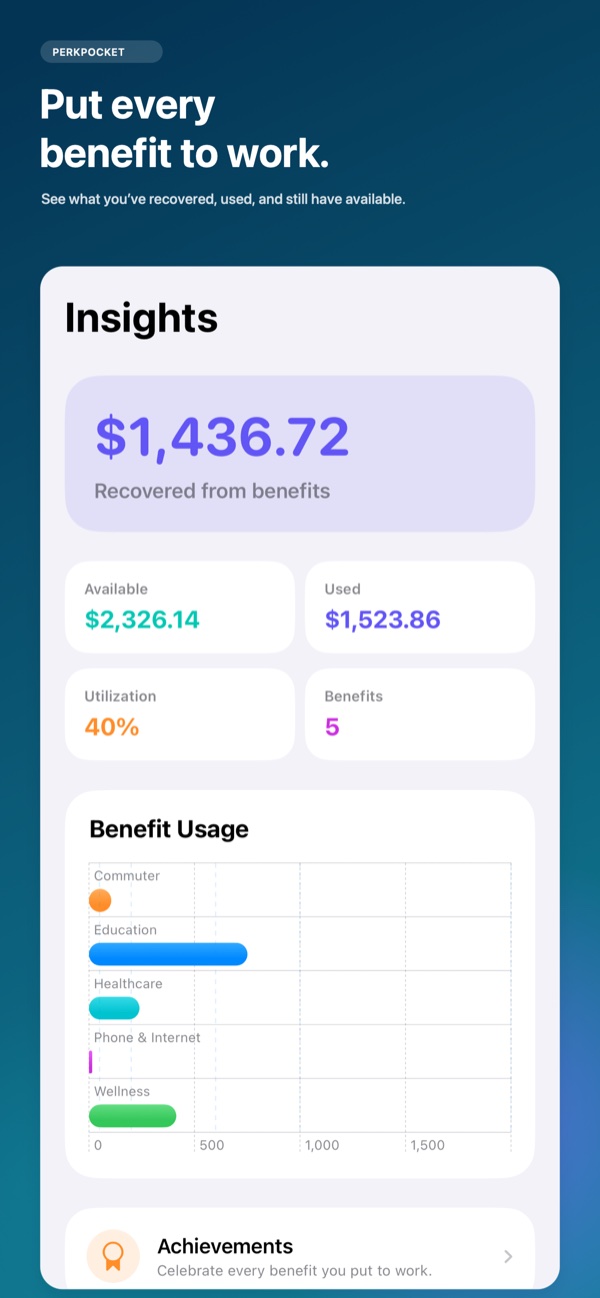
See what is available, what has been used, and what remains across employer-provided benefits.
Add expenses, notes, and receipt images to the benefit they belong to.
Mark claims not submitted, submitted, approved, reimbursed, or denied.
Enable reminders 60, 30, 14, and 7 days before an active benefit ends.
Extract basic merchant, amount, and purchase-date details without sending the receipt to a remote recognition service.
Review how much employer-provided money you have put to work during the year.
Inside the app
Current screenshots from the public App Store listing.
How it works
Choose a common benefit type or create a custom one, then enter its value and reset or expiration date.
Enter the purchase, attach a receipt, and keep any useful notes with it.
Move the expense through submitted, approved, reimbursed, or denied as the employer processes it.
Check what remains and act before an allowance resets or expires.
Who it’s for
Questions, answered
PerkPocket includes wellness, education, phone and internet, commuter, work equipment, childcare, healthcare, meals, and custom benefit types.
No. PerkPocket is a personal tracker. It does not require an employer portal, work account, banking login, or employer integration.
Yes. Expenses can be marked not submitted, submitted, approved, reimbursed, or denied, and pending claims appear in the activity feed.
Yes. When notifications are enabled, PerkPocket can remind you 60, 30, 14, and 7 days before an active benefit ends.
You can keep up to five active benefits for free. A $3.99 one-time PerkPocket Lifetime purchase unlocks unlimited active benefits. There is no subscription.
Benefit data, activity, and receipt images stay on your device. Basic receipt text recognition also happens on-device.
Available on the App Store
Free for up to five active benefits; $3.99 one-time lifetime unlock for unlimited active benefits. No subscription.