Day, week, or agenda.
Create internal events and filter the schedule by household member. Apple Calendar access is optional.
 Coming to iPad
Household command center
Bring schedules, responsibilities, shopping, dinner plans, family profiles, and the household’s daily rhythm together on one iPad.
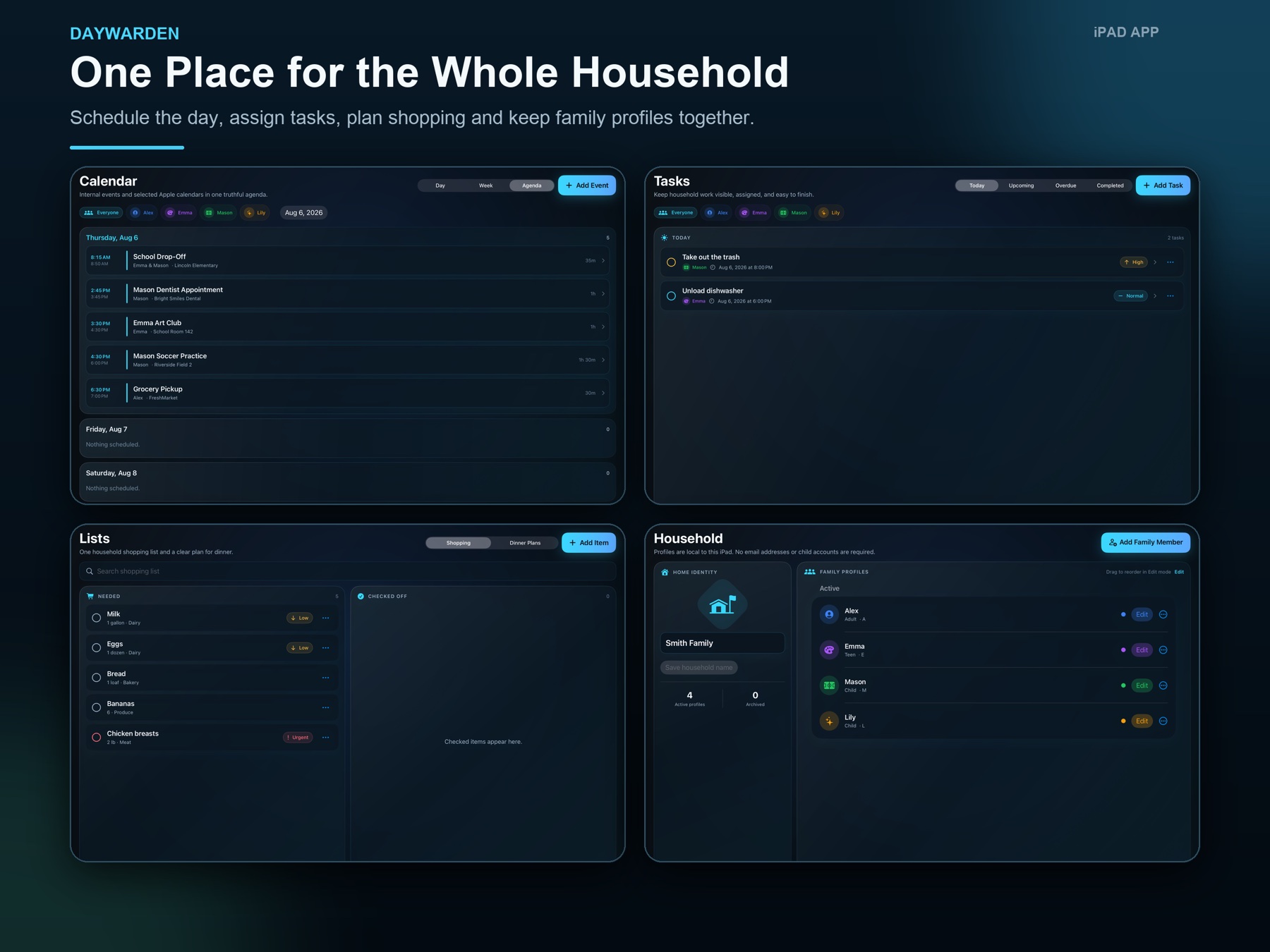
Designed for iPad
No Daywarden account required
Optional system permissions
Daywarden keeps the practical parts of household planning visible without turning them into separate apps and scattered lists.
Create internal events and filter the schedule by household member. Apple Calendar access is optional.
Assign tasks, priorities, and due dates to household profiles, with optional local reminders.
Track quantities and restocks, then keep tonight’s dinner and upcoming meal plans close at hand.
Give each household member a name, color, symbol, and optional photo—without creating online child accounts.
Wall Display turns the iPad into an at-a-glance view of the schedule, open tasks, shopping status, and dinner plan.
Ask about the day or add supported events, tasks, shopping items, and dinners using deterministic rules in the app—not an external AI provider.
Daywarden stores its household-planning database on the iPad. Calendar, notifications, photos, speech, and music access are optional and tied to the features you choose.
Read the Daywarden Privacy Policy